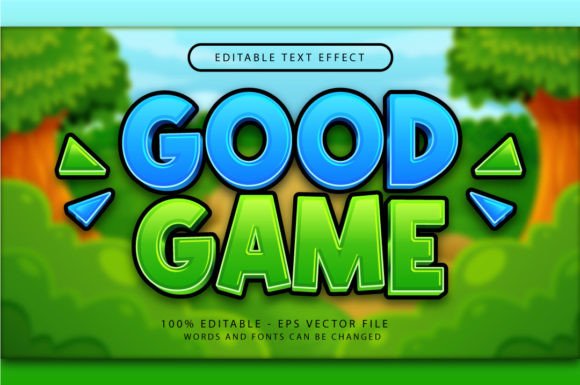
Good Game 3D Text Effect: Instant Impact for Your Projects
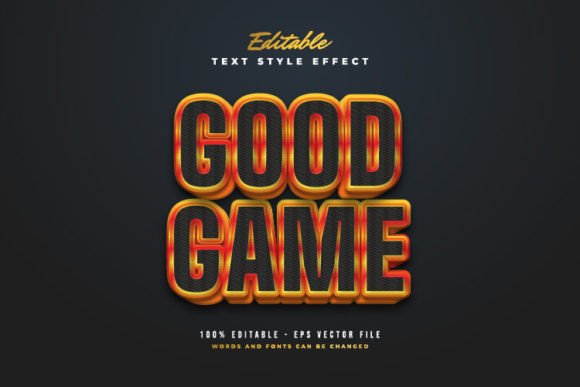
Sometimes, you just need a headline to stop the scroll. You’re working on a social media ad, a new YouTube thumbnail, or a poster for a local event, and you need something that screams energy and fun without spending hours on complex software. That’s exactly the kind of problem the Good Game 3D Text Effect solves. It’s a pre-built Adobe Illustrator style designed to give your typography a bold, extruded, three-dimensional look that feels modern, playful, and a little retro—perfect for anything related to gaming, tech, or just getting people excited.
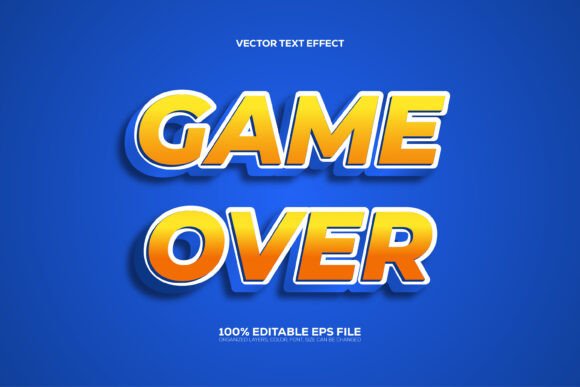
This isn't some heavy, complicated 3D modeling file. Think of it as a high-quality, ready-made layer style you can apply with a single click. The visual personality of this effect is confident and vibrant. It uses sharp edges and a distinct extrusion to create depth, making text look like it’s popping right off the page or screen. The style has a clear "digital" vibe, reminiscent of classic arcade games and modern esports branding, but it’s versatile enough for any project that needs a punchy, high-energy headline. It’s the kind of creative font treatment that instantly communicates excitement and importance.
Where This 3D Style Shines: Real-World Applications
The true value of a design asset like the Good Game 3D Text Effect is in its versatility. It’s not just for game streamers. As a designer or business owner, you can leverage this style across a surprisingly wide range of projects. For logo design, it can give a brand name a memorable, sculpted presence, especially for youth-oriented brands, tech startups, or entertainment companies. In editorial design, imagine using it for chapter titles in a magazine or a bold pull quote in a blog post—it adds a layer of visual interest that plain text can’t match.
It’s also a powerhouse for packaging design. Think about a snack box, a beverage can, or a toy package where the product name needs to jump out at you on a crowded shelf. This 3D effect does that heavy lifting. For digital creators, it’s a goldmine for social media graphics, webinar titles, or podcast cover art. It helps establish a strong visual hierarchy, guiding the viewer’s eye directly to your most important message. Even in web design, a stylized headline using this effect can break up text-heavy pages and inject personality into a landing page.
Practical Guide: Using and Pairing the Effect
One of the biggest strengths of the Good Game 3D Text Effect is its simplicity. The package includes a vector .EPS file and a high-resolution .JPG preview. To use it, you simply open the .EPS in Adobe Illustrator, select the text with the effect applied, and type your own words. The 3D transformation updates automatically. You can also access it through the Window > Graphic Styles panel, making it a reusable asset in your design toolkit. There are no plugins or actions required—it’s pure, editable vector goodness.
When it comes to font pairing, this is where a little strategy goes a long way. Because the Good Game 3D Text Effect is inherently bold and decorative, it works best when contrasted with a clean, simple typeface for body copy. Pair it with a classic sans serif font like Helvetica, Arial, or a modern geometric sans for a balanced look. If you’re going for a more techy or futuristic feel, a monospaced font could create an interesting contrast. Avoid pairing it with another ornate or script font, as that will create visual chaos and hurt readability.
For projects involving longer text, like a blog or brochure, use this effect sparingly and strategically. It’s a display font style, meaning it’s built for impact, not for reading paragraphs. Apply it to H1 headings, section titles, or key quotes. Always consider your brand identity. Does this playful, three-dimensional style align with your brand’s voice? It’s perfect for brands that are energetic, innovative, or community-focused. For a law firm or a luxury watchmaker, it might not be the right fit. The included .EPS format means it’s scalable for any print or digital size without losing quality, making it a reliable piece of your design assets library.
Final Thoughts on a Handy Design Tool
The Good Game 3D Text Effect is a focused solution. It won’t replace your entire typography library, but it doesn’t need to. Its purpose is to give you a fast, professional way to create eye-catching 3D text for headlines, titles, and logos. It respects your time by being incredibly easy to use and fully editable. For entrepreneurs, content creators, and designers who need to produce engaging visuals quickly—whether for a client project, a personal brand, or a marketing campaign—it’s a practical and valuable asset to have on hand.