Accelerate Your Mobile Game Development with This GUI Pack
What Makes Mobile Game GUI Pack 06 a Practical Design Asset?
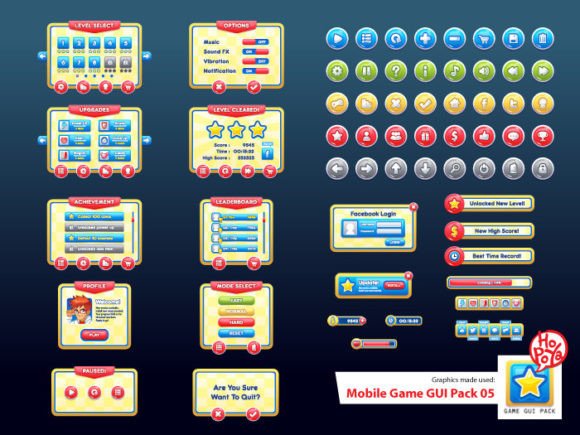
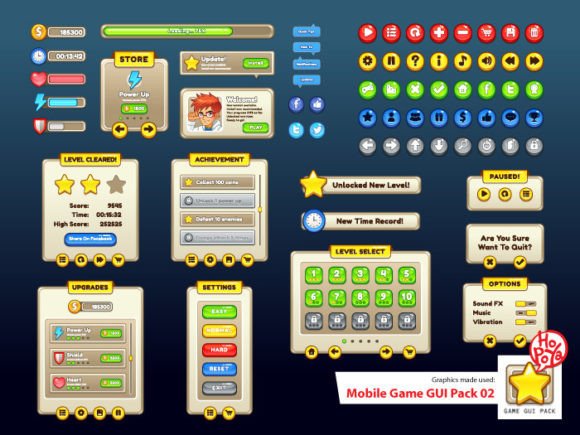
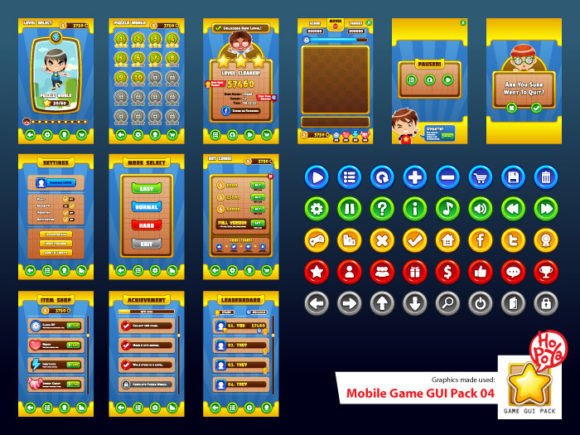
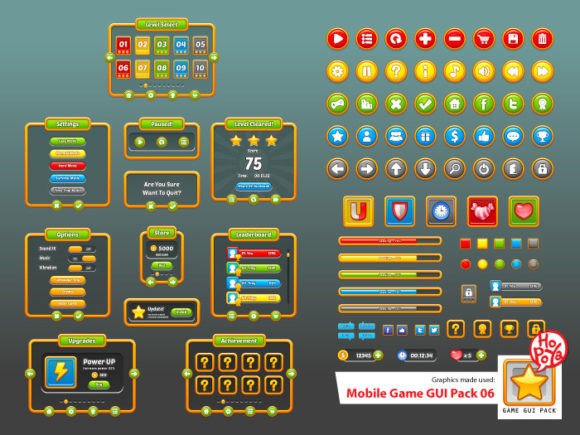
Creating a polished 2D mobile game involves more than just compelling gameplay mechanics; the user interface is the player's primary point of contact. A cluttered, inconsistent, or unprofessional GUI can break immersion and frustrate users, regardless of how good the game underneath is. This is where a well-crafted design asset like Mobile Game GUI Pack 06 proves its value. It’s not just a collection of buttons and windows; it’s a foundational toolkit designed to give your project a cohesive visual language from the outset. The pack focuses on clarity and customizability, providing over 40 buttons across five distinct color schemes. This variety allows for clear functional differentiation—think red for "delete" or "attack" and green for "confirm" or "collect"—without breaking the overall style.
The visual personality of the pack leans towards a clean, modern aesthetic that balances approachability with a certain technical precision. It avoids overly complex textures or gradients, making it versatile enough for a range of game genres, from casual puzzle games to strategy titles. The included customizable window frames and game elements are designed to be modular. You can mix and match components to build menus, inventory screens, dialogue boxes, and status displays that feel unified. This modularity is a significant time-saver, allowing you to prototype and iterate on your interface layout rapidly. Instead of spending hours drawing pixel-perfect buttons, you can focus your energy on the core game loop and narrative.
How Can This GUI Pack Influence Your Game's Identity and Player Experience?
The choice of a GUI pack directly influences how players perceive your game's world and professionalism. A consistent visual system builds trust and reduces cognitive load, letting players intuitively navigate menus and understand information hierarchy. Mobile Game GUI Pack 06 contributes to this by ensuring all its elements share the same design DNA. The buttons, windows, and other components have proportional sizing and aligned styling cues, which is crucial for creating a seamless visual hierarchy. Players instinctively learn that larger, more prominent buttons are for primary actions, while smaller or differently colored elements handle secondary functions.
Furthermore, the pack includes vector AI and EPS10 files, which are invaluable for serious development. Vector graphics are resolution-independent, meaning your interface will remain crisp and sharp on any screen size, from a small smartphone to a large tablet. This is a fundamental requirement for modern web design and app development, where assets must scale perfectly. The inclusion of transparent PNG files offers a quick-start option for those working in non-vector environments or for rapid prototyping in game engines. The specified font, PoetsenOne, adds another layer of character. It’s a display font with a friendly, slightly rounded personality that complements the GUI's clean style, perfect for titles and key labels where readability at a glance is essential.
Practical Guidance for Integrating the GUI Pack into Your Workflow
When evaluating whether Mobile Game GUI Pack 06 fits your project, consider its style against your game's theme. Its modern, slightly playful aesthetic pairs well with games targeting a broad audience. For darker, grittier themes, you might need to recolor the elements significantly using the provided vector files. Always test the font pairing possibilities early. While PoetsenOne works well for headlines, you'll likely need a highly legible sans serif font for body text, tutorials, or item descriptions to ensure long blocks of text are comfortable to read. The pack’s true strength lies in its role as a premium font and asset bundle, giving you a professional starting point that you can adapt.
From a commercial standpoint, using a pre-built GUI pack like this is a smart strategy for indie developers, small studios, and even marketers creating gamified ads. It provides a level of polish that can elevate a prototype into a compelling demo, helping to secure funding or attract early players. For content creators and bloggers in the gaming space, these assets can be used to create tutorial thumbnails, video overlays, or even mock-ups for articles about game design, adding a professional touch to their brand identity. Remember to always check the license for any commercial project. Packs like these typically include a license that covers use in multiple projects, but it's your responsibility to verify the terms for your specific use case, whether it's a personal hobby game or a commercial release.
In practice, open the vector files in a program like Adobe Illustrator to fully explore the customization options. Change colors to match your game's palette, modify button shapes slightly for uniqueness, and experiment with the PoetsenOne font in combination with other typefaces to establish your final typography system. Test the readability of every element on actual mobile devices—what looks clear on a high-resolution monitor might feel cramped on a smaller phone screen. By thoughtfully integrating and adapting the assets from Mobile Game GUI Pack 06, you build not just a functional interface, but a stronger, more engaging experience that reflects a considered and professional approach to game development.