Mobile Game GUI Pack 05: Your Complete 2D Game UI Toolkit
When you are deep in the development of a 2D mobile game, the user interface is often the bridge between your code and the player's emotions. A clunky menu can break immersion faster than a glitch, while a polished, intuitive interface keeps players engaged. This is where having the right design assets becomes crucial. The Mobile Game GUI Pack 05 is not just a collection of images; it is a comprehensive toolkit designed to solve the headache of UI creation for independent developers, hobbyists, and small studios. It offers a cohesive visual language that can transform a basic prototype into a professional-looking product ready for the App Store or Google Play.
Anatomy of a Versatile Interface System
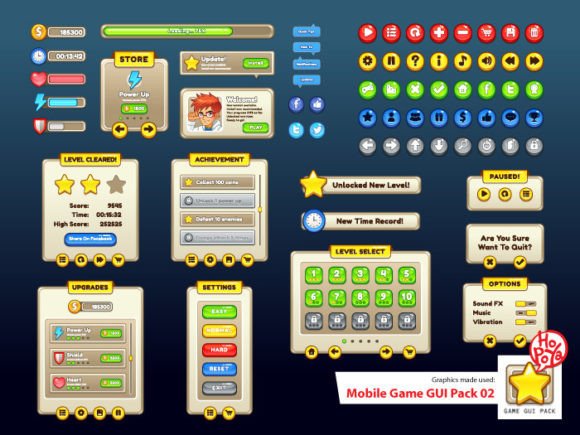
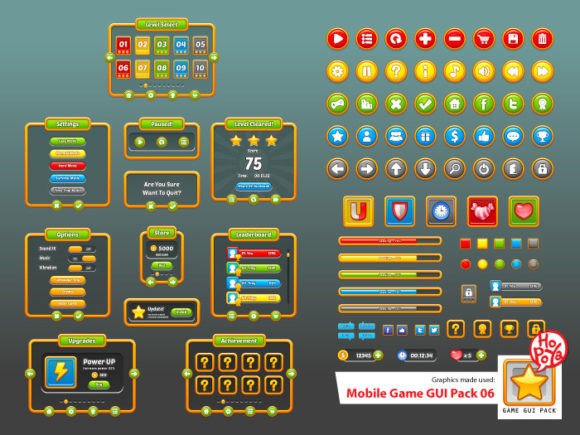
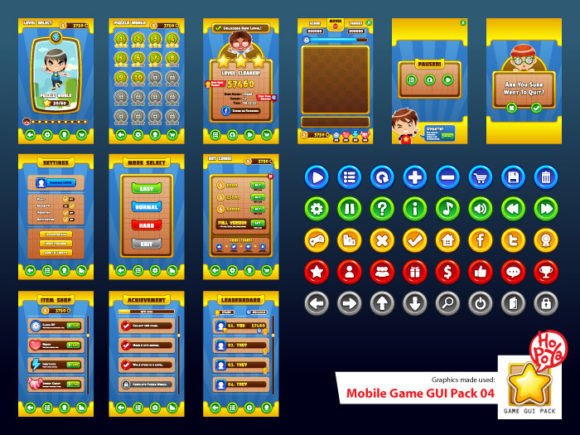
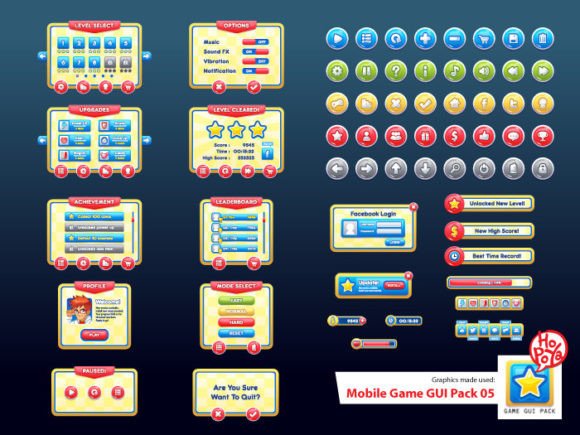
At the heart of this pack lies a commitment to flexibility. The creators understood that one size does not fit all in game design. That is why the Mobile Game GUI Pack 05 includes over 40 customizable buttons spread across 5 distinct color palettes. In modern typography and UI design, color is not just decoration; it is a functional tool. You can use a specific color set for positive actions like "Buy" or "Confirm," and another for negative actions like "Cancel" or "Exit." This visual shorthand helps players navigate your game intuitively without needing to read every label.
Beyond the buttons, the pack includes customizable windows and game elements. These are the building blocks of your brand identity within the game. Whether you are creating a fantasy RPG, a futuristic shooter, or a casual puzzle game, the ability to tweak these windows ensures that the interface matches the atmosphere of your world. The inclusion of vector AI and EPS10 files is a massive advantage for designers who value scalability. Unlike rasterized images that pixelate when enlarged, these vector files allow you to resize elements to fit any screen resolution—from a small smartphone to a large tablet—without losing a single pixel of quality. For those working in raster-based software, the transparent PNG files offer immediate drag-and-drop convenience.
The Role of Typography: RockoUltraFLF and Dosis
A graphical user interface is only as good as its legibility, and typography plays a starring role here. The Mobile Game GUI Pack 05 relies on two specific typefaces to handle the heavy lifting: RockoUltraFLF and Dosis. Understanding the personality of these fonts is key to utilizing the pack effectively.
RockoUltraFLF acts as the display font. It has a bold, geometric presence that commands attention. This makes it an excellent choice for headers, titles, and major call-to-action buttons. If you are working on logo design for your game title or need a creative font that pops on a splash screen, Rocko provides that visual impact. It is a sans serif font, which means it lacks the small projecting features at the end of strokes, giving it a clean, modern look that feels very "digital native."
On the other hand, Dosis complements it perfectly for longer text. While Rocko grabs attention, Dosis ensures readability in inventory descriptions, lore text, or settings menus. It is softer and more rounded, making it easier on the eyes during extended reading sessions. Using these two in tandem creates a strong visual hierarchy, guiding the player's eye naturally from the main title down to the supporting information. This font pairing strategy is a staple in professional editorial design and web design, and it translates beautifully into the gaming sphere.
Practical Applications Beyond Gaming
While the name suggests a specific use case, the versatility of the Mobile Game GUI Pack 05 extends far beyond a single app. For marketers and content creators, these elements are goldmines for social media graphics. Imagine using the "Game Over" or "Level Up" windows as frames for Instagram stories or YouTube thumbnails to promote a gamified marketing campaign. The playful yet polished aesthetic appeals to a broad demographic, from teenagers to adults in their 40s and 50s who appreciate nostalgic or digital art styles.
Small business owners can also leverage these assets. If you are launching a loyalty program that involves points or levels, using game-like interface elements can make the experience feel more engaging and less like a chore. The high-contrast buttons and clear windows are designed for touch interfaces, making them ideal for web design projects aimed at mobile users. Even in packaging design for tech-related products or energy drinks, the vibrant colors and dynamic shapes of the GUI elements can add a layer of excitement and modernity.
Implementation Tips for Designers and Developers
To get the most out of this pack, you need to treat it as a system rather than a scrapbook. Start by establishing your color rules. Since the pack offers five colors, decide early on which color represents what function. Consistency is the bedrock of professionalism in UI design.
When working with the vector files, take advantage of the editability. Do not be afraid to warp the buttons slightly or add texture overlays to match your game's specific art style. If your game has a gritty, post-apocalyptic theme, the clean vectors can be distressed in Adobe Illustrator to look weathered. Conversely, if you are building a bright, candy-crush style game, the smooth edges are already perfect.
Regarding the commercial font aspect, always double-check the specific licensing terms included with the pack for RockoUltraFLF and Dosis. While the assets are provided for use, understanding the scope of the license—whether it covers unlimited app installs or specific merchandise—is part of the due diligence required in professional commercial work.
Finally, test your interface on real devices. A button that looks great on a 27-inch monitor might be too small for a thumb on a 5-inch phone screen. The Mobile Game GUI Pack 05 provides a solid foundation, but user testing is what bridges the gap between a good design and a great user experience. By combining these high-quality assets with thoughtful implementation, you can significantly accelerate your development process and ensure your game looks and feels like a finished product.