Mobile Game GUI Pack 04: A Designer's Toolkit for 2D Games
Every game developer eventually hits that moment where the code works, the mechanics are fun, but the interface feels like a placeholder. You know the look: generic gray buttons, uninspired menus, and a general lack of polish. This is where a strong set of design assets can transform a project from a prototype into a product that feels ready for players. The Mobile Game GUI Pack 04 is a resource built precisely for this stage, offering a comprehensive library of graphical user interface elements tailored for 2D mobile games.
Understanding the Core Components
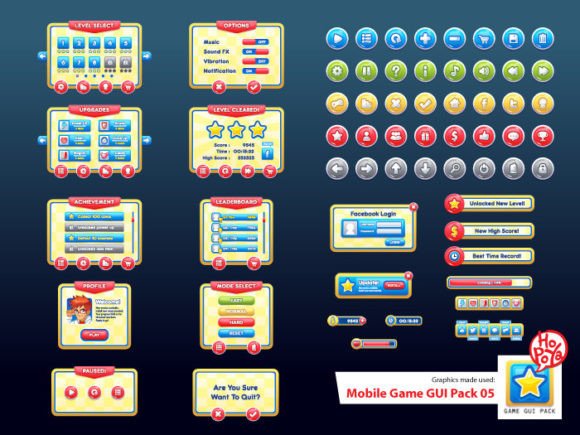
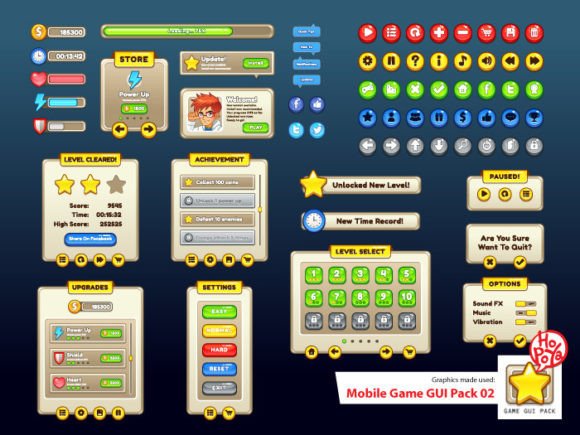
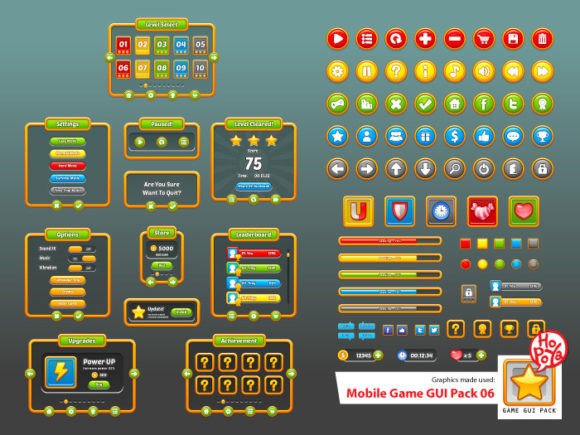
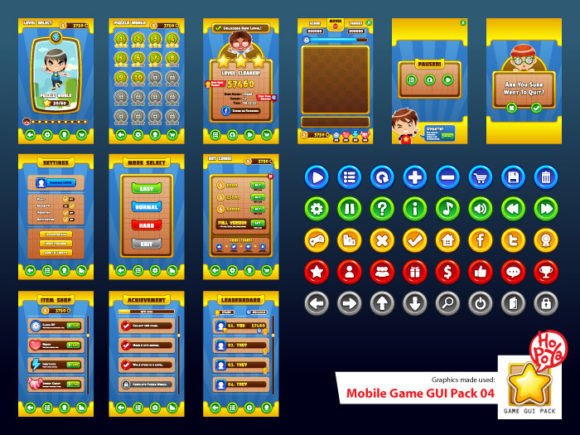
At its heart, this pack is a collection of customizable graphical elements. It’s not just a handful of icons; it’s a system designed for cohesion. The included assets feature over 40 buttons, each available in five distinct color variations. This variety allows for immediate visual differentiation between primary actions, secondary choices, and warning states without needing to create new art from scratch. Beyond buttons, you’ll find customizable windows and other game elements—think health bars, inventory slots, dialogue boxes, and menu panels. These are the building blocks of a player’s entire journey through your game’s interface.
The practical value lies in the file formats provided. The inclusion of vector AI and EPS10 files is a significant advantage. Vector graphics are resolution-independent, meaning you can scale a button from a small phone screen to a large tablet display without any loss of quality. This is non-negotiable for modern game development where screen sizes vary wildly. For teams or individuals who work primarily in raster-based software like Photoshop, the transparent PNG files ensure immediate usability. You can drag and drop these elements directly into your project, saving countless hours of asset creation and alignment.
Visual Style and Practical Application
The aesthetic of Mobile Game GUI Pack 04 leans towards a clean, modern, and slightly stylized look. It avoids being overly cartoonish or hyper-realistic, finding a middle ground that suits a wide range of game genres—from puzzle and strategy games to casual adventures and simulators. The design personality is professional and polished, providing a foundation that can be easily adapted. A developer could tint these assets to fit a dark fantasy theme or a bright, cheerful world. The consistency in the design language across all elements is its strongest feature; using them together ensures your menus, pop-ups, and HUD (Heads-Up Display) feel like parts of a unified whole.
The choice of typography within the pack itself is telling. The specified fonts, Molot and Aller Display, are excellent for different reasons. Molot is a bold, condensed sans-serif typeface. It’s a display font with strong presence, perfect for titles, headers, and critical buttons where you need instant readability and impact. Aller Display is more of a workhorse sans-serif, highly legible at smaller sizes for body text, descriptions, and longer instructions. Together, they provide a complete typographic system for a game’s interface, guiding the player’s eye effectively through visual hierarchy.
For a designer or developer, the guidance for using this pack is straightforward. Start by identifying the core actions in your game—menu, play, settings, inventory. Use the prominent Molot font for these key buttons. Then, use Aller Display for any supporting text, like item descriptions or tutorial pop-ups. The five button colors can be assigned meaning: green for confirmation, red for cancellation or danger, blue for information, and so on. This creates an intuitive system that players understand subconsciously, improving the overall user experience.
Integrating Assets into Your Workflow
Choosing this design asset pack is a practical decision for efficiency. It’s particularly valuable for indie developers, small studios, and even larger teams in the prototyping phase who need a professional look quickly. The commercial license typically included with such packs allows for use in projects you intend to sell, which is a critical detail for any entrepreneur or small business owner in the game space. Always review the specific license terms to ensure it covers your distribution model, whether it’s on app stores, Steam, or your own website.
When evaluating fit, consider your game’s art direction. If your game has a very organic, hand-drawn style, you might need to apply texture overlays or slight distortion to these cleaner assets. If your game is minimalist and geometric, they might integrate seamlessly. The key is to use them as a starting point, not necessarily an immutable final product. Test the font pairing within your actual game environment. How does Molot look against your game’s background art? Is Aller Display still readable on a small phone screen during gameplay? This real-world testing is more valuable than any theoretical analysis.
Ultimately, a resource like Mobile Game GUI Pack 04 is about removing friction. It solves the common bottleneck of interface design, allowing creators to focus on gameplay, narrative, and polish. By providing a cohesive set of elements in versatile formats, it empowers developers to present their work with a level of professionalism and visual consistency that resonates with players. It’s a tool that bridges the gap between a great idea and a finished, market-ready product, ensuring the first thing players interact with—the menu—feels as thoughtfully crafted as the game itself.